Meta is changing how it attributes conversions — again. If you’re running Meta ads and your CPA targets haven’t budged since last year, you’re probably already flying blind. The shift from click-through attribution to engage-through attribution sounds like a minor reporting tweak. It isn’t. It rewrites the numbers that determine whether your campaigns look profitable or broken.
This matters for one simple reason: if your post-click conversion rate (CVR) calculation is based on the wrong attribution window, every optimization decision you make — audience, creative, bid, budget — is built on a cracked foundation.
Here’s what changed, why your CPA numbers are now misleading you, and what to do about it.
→ If you’re already looking for a fix, <a href="<a href="https://deepclick.com/contact-sales?utm_source=seo-blog&utm_medium=organic-content&utm_campaign=seo&utm_content=contact-sales” rel=”nofollow”>https://deepclick.com/contact-sales?utm_source=seo-blog&utm_medium=organic-content&utm_campaign=seo&utm_content=contact-salessource=seo-blog&utmmedium=organic-content&utmcampaign=seo&utmcontent=top-cta”>Book a Free Demo and our team will audit your post-click funnel for free.
What Meta’s Attribution Change Means for Advertisers
Meta’s legacy default attribution window was click-through: a conversion counted if it happened within 7 days of a user clicking your ad. Simple, familiar, and — as it turns out — increasingly misaligned with how modern purchase behavior works.
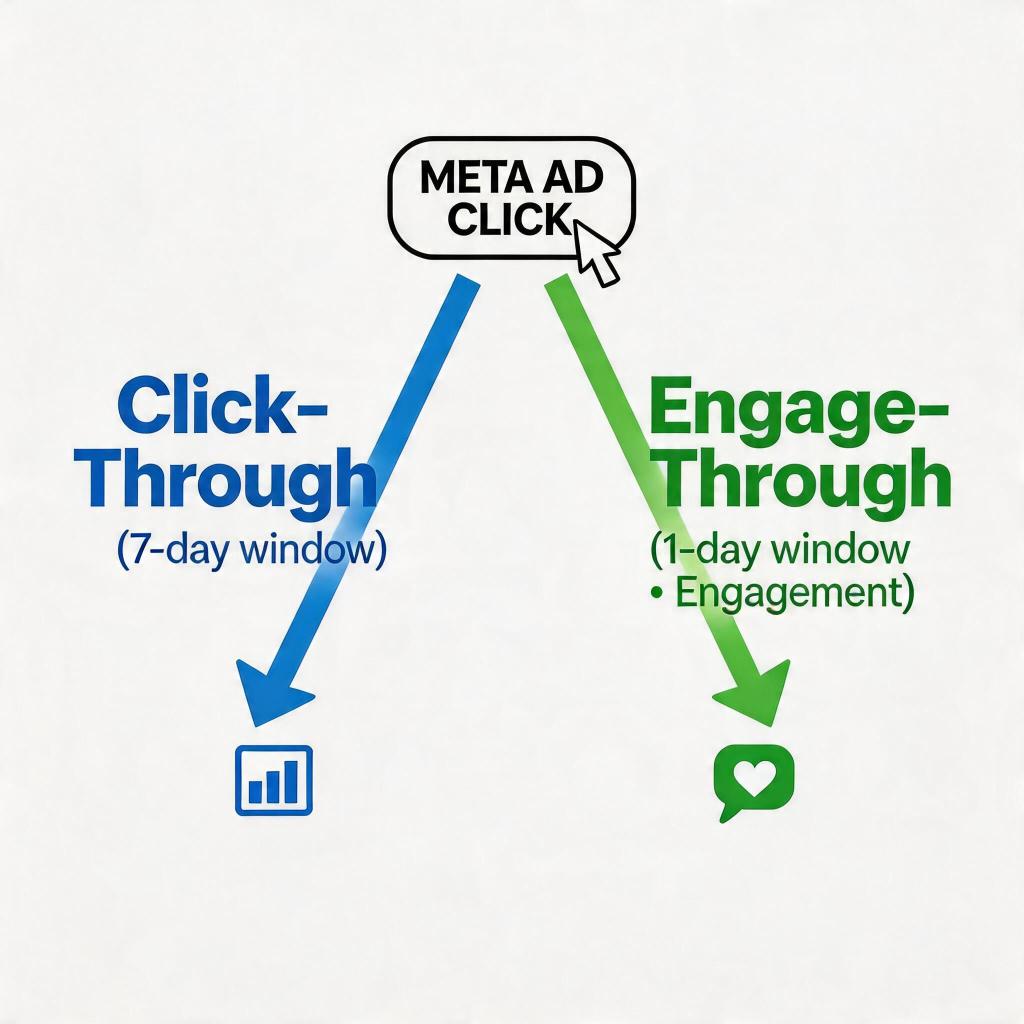
Starting in 2024-2025, Meta began rolling out engage-through attribution as a primary or default model. Under engage-through:
- Conversions are attributed to ads where the user clicked OR engaged (e.g., watched ≥10 seconds of a video, interacted with a carousel, or spent time on an Instagram Story) within a 1-day window
- The window is tighter (1 day vs 7 days)
- Engagement is weighted alongside clicks, not just after them
The practical effect: the same campaign, under engage-through vs click-through, will show different conversion counts, different CPA values, and different ROAS figures. Meta is essentially telling you that people who saw your ad and later bought — without clicking — should be credited to that ad.
For advertisers who relied on click-through data to makebid adjustments, this is disruptive. Your historical benchmarks are no longer directly comparable. Your CPA thresholds need recalibration. And your post-click optimization strategy needs to account for the fact that Meta now sees attribution more holistically — but your landing page and conversion funnel are still judged on a narrower click-based view.
The core problem: Meta’s model is expanding to credit impressions and engagement. Your post-click funnel is still binary — convert or don’t. That gap is where money is being left on the table.
Click-Through vs Engage-Through: The Key Difference
Let’s be precise about what separates these two models.
Click-through attribution:
- Conversion only counted if user clicked the ad
- 7-day lookback window after click
- No credit given for impressions or engagement that didn’t produce a click
- Historically the industry standard for “last-click” style reporting
Engage-through attribution:
- Conversion counted if user clicked OR engaged meaningfully with the ad
- 1-day lookback window (tightened)
- Engagement = video views (≥10s), Story swipes, carousel interactions, etc.
- Meta allocates conversion credit across both clicks and engagement signals
Here’s the concrete impact on your numbers:
| Metric | Click-Through (7-day) | Engage-Through (1-day) |
|—|—|—|
| Attribution window | 7 days post-click | 1 day post-click/engagement |
| Conversion credit | Click only | Click + engagement |
| CPA (same campaign) | Baseline | Often lower or more volatile |
| Reported conversions | Fewer, delayed | More, faster attribution |
| Pixel-based post-click CVR | Overstated gap | More accurate end-to-end |
The last row is the critical one for your optimization workflow. If you’re using a post-click CVR metric — meaning “out of people who clicked, how many converted?” — engage-through changes how you should think about that number. Because Meta is now crediting conversions that had no click at all, the post-click funnel lens becomes even more valuable as a counterbalance: it tells you what’s actually happening on your landing page, independent of Meta’s attribution model.
Why this matters for your CVR analysis: Post-click CVR is the one metric that isn’t distorted by attribution windows. A user either converts after clicking or they don’t. That number is real. And if your post-click CVR is low, no attribution model will save your CPA.
Why Your CPA Numbers Are Now Wrong
Let’s walk through the specific ways your CPA reporting is now misleading you.
1. Historical benchmarks are invalidated.
Your 2024 CPA data was built on 7-day click-through. If you set 2025 targets based on that baseline, you’re comparing a 7-day window against a 1-day engage-through model. The targets themselves are wrong.
2. CPA appears volatile even when nothing changed.
Under engage-through, conversion timing shifts. A user who clicked on Monday and converted Thursday used to count under click-through. Under engage-through, if they also engaged with a Story on Tuesday, the attribution timeline shifts — and so does the CPA calculation. Your CPA isn’t suddenly worse; it’s just being measured differently.
3. Campaign-level CPA shifts don’t always reflect funnel performance.
When Meta reattributes conversions from impression-based engagement, your click-through CVR might look flat while Meta reports higher conversion counts. This creates a dangerous illusion: you might think your landing page is performing fine because clicks haven’t changed, while Meta is telling you conversions are up — but neither number is telling the full story.
4. You’re potentially over-investing in campaigns that look good under click-through but are cannibalized by engage-through.
Conversely, campaigns that look expensive under click-through (because conversions took 4-6 days) may be penalized unnecessarily. The 7-day window captured mid-to-long-tail conversions that the 1-day engage-through window misses.
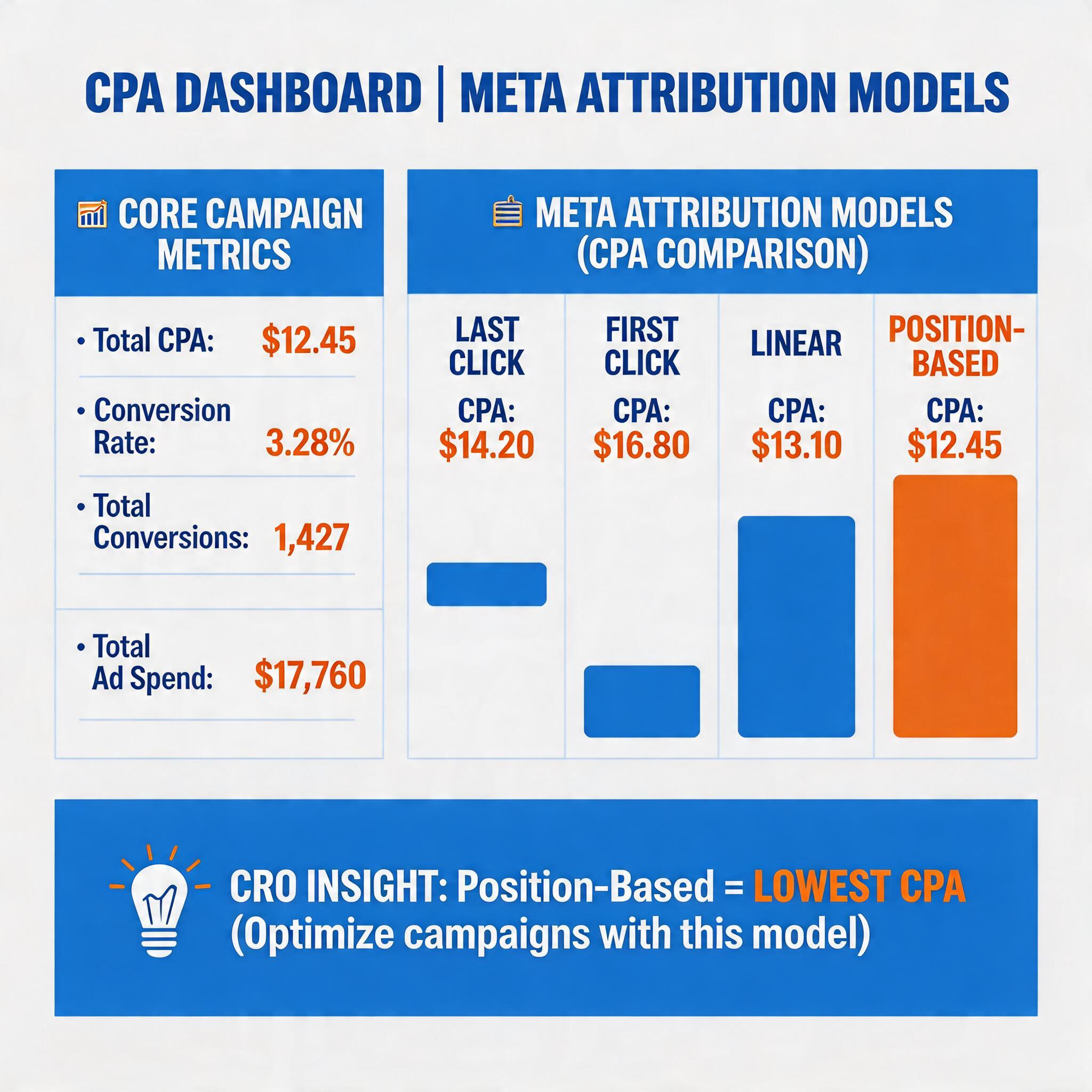
The bottom line: Both click-through and engage-through have blind spots. Click-through misses post-impression conversions. Engage-through shortens the window and can over-credit engagement that wasn’t causal. Neither is a perfect causal model.
The answer isn’t to pick a side. It’s to layer in post-click data — what happens after a real click on a real page — to triangulate the truth.
How to Recalibrate CPA Targets with Post-Click Optimization
Here’s the action plan. This isn’t theoretical — these are specific steps to recover accuracy in your CPA reporting and close the gap between Meta’s numbers and what your funnel actually delivers.
Step 1: Establish a New Baseline Using Post-Click CVR as Your North Star
Stop relying solely on Meta’s reported CPA. Instead, instrument your post-click funnel with a tool that gives you independent conversion data.
Post-click CVR is calculated as:
Conversions ÷ Clicks (where click = actual user click, not impression)
This is your ground truth. It tells you: of everyone who actually clicked my ad, how many completed a purchase or sign-up on my landing page?
Once you have 2-4 weeks of post-click CVR data, you can reverse-engineer a realistic CPA target:
Target CPA = Average Order Value × (1 ÷ Post-click CVR)
If your AOV is $50 and your post-click CVR is 3%, your realistic CPA target is $50 × 33 = $1,650 per conversion. If Meta is reporting $1,200 CPA under engage-through, you need to understand what’s driving that delta before you celebrate or panic.
Step 2: Segment Your Campaigns by Attribution Source
Not all conversions are equal. Break your Meta campaigns into two buckets:
- Direct-click conversions: User clicked and converted within your post-click window (1-3 days). These are your cleanest signals.
- Engagement-attributed conversions: User interacted with your ad (video view, Story) but may not have directly clicked. These conversions are partially credited by Meta’s engagement signals.
When you separate these, you can see whether your landing page is actually converting clicks — which is where DeepClick focuses. Engagement-attributed conversions are influenced by creative and audience; direct-click conversions are influenced by landing page quality, page speed, and offer clarity.
Step 3: Fix the Post-Click Drop-Off — This Is Where You’re Bleeding Money
Here’s the uncomfortable math: if your post-click CVR is 2%, that means 98% of people who clicked your ad didn’t convert. A 1-point improvement in post-click CVR (from 2% to 3%) cuts your CPA by 33% — without touching your ad spend, audience, or bid.
Post-click drop-off typically happens at three points:
- Landing page load speed. If your page takes >3 seconds to load on mobile, you’re losing ~53% of mobile users before they even see your offer.
- Offer clarity above the fold. Users should understand your value proposition in 3 seconds. If your hero section is abstract or generic, you’re relying on scroll-through to save conversions — and most users won’t wait.
- Form/checkout friction. Every additional form field, every mandatory account creation step, every unnecessary page redirect adds drop-off risk.
DeepClick helps identify exactly where post-click drop-offs are happening on your funnel — at the link level, page level, and event level — so you can fix the specific bottleneck rather than guessing.
Step 4: Recalibrate Your Meta CPA Target
Use this formula to set a new 2026 CPA target:
Revised Target CPA = Post-click CVR Floor × (Meta Reported Conversions ÷ Actual Post-click Conversions)
If Meta is reporting 15% more conversions than your post-click data shows, your effective CPA is 15% higher than Meta reports — and your optimization budget should be set accordingly.
Step 5: Set Up a Hybrid Attribution Dashboard
Don’t let Meta’s attribution model be your only source of truth. Set up a dashboard that overlays:
- Meta reported conversions (engage-through model)
- Post-click conversions (your server-side or pixel-verified click-through data)
- View-through conversions (1-day view attribution as a third data point)
When Meta’s number, your post-click number, and your view-through number agree, you have high confidence. When they diverge — which will happen regularly — you know you need to investigate.
Learn more about Facebook ads conversion rate optimization strategies →
Action Checklist
Use this checklist to recalibrate your Meta ads CPA in 2026:
- [ ] Audit your post-click CVR. Pull 30 days of click-level conversion data and calculate your true post-click conversion rate. This is your real performance number.
- [ ] Update your CPA targets. Rebuild them using post-click CVR × AOV. Don’t carry over 2024 click-through benchmarks into 2026.
- [ ] Segment campaigns by attribution source. Separate direct-click conversions from engagement-attributed conversions to see where your landing page is actually performing.
- [ ] Fix your three biggest post-click drop-off points. Prioritize page speed, above-the-fold clarity, and form friction.
- [ ] Instrument a hybrid attribution dashboard. Layer Meta’s engage-through data with your own post-click data for triangulated truth.
- [ ] Test DeepClick’s post-click optimization. If you’re running Meta ads and not monitoring post-click CVR, you’re optimizing blind. <a href="<a href="https://deepclick.com/contact-sales?utm_source=seo-blog&utm_medium=organic-content&utm_campaign=seo&utm_content=contact-sales” rel=”nofollow”>https://deepclick.com/contact-sales?utm_source=seo-blog&utm_medium=organic-content&utm_campaign=seo&utm_content=contact-salessource=seo-blog&utmmedium=organic-content&utmcampaign=seo&utmcontent=contact-sales”>Book a free demo to see where your funnel is leaking.
Stop losing conversions after the click.
DeepClick helps Meta advertisers fix post-click drop-offs and improve CVR by 30%+ through automated re-engagement and post-click link optimization.
→ <a href="<a href="https://deepclick.com/contact-sales?utm_source=seo-blog&utm_medium=organic-content&utm_campaign=seo&utm_content=contact-sales” rel=”nofollow”>https://deepclick.com/contact-sales?utm_source=seo-blog&utm_medium=organic-content&utm_campaign=seo&utm_content=contact-salessource=seo-blog&utmmedium=organic-content&utmcampaign=seo&utmcontent=contact-sales”>Book a Free Demo


发表评论