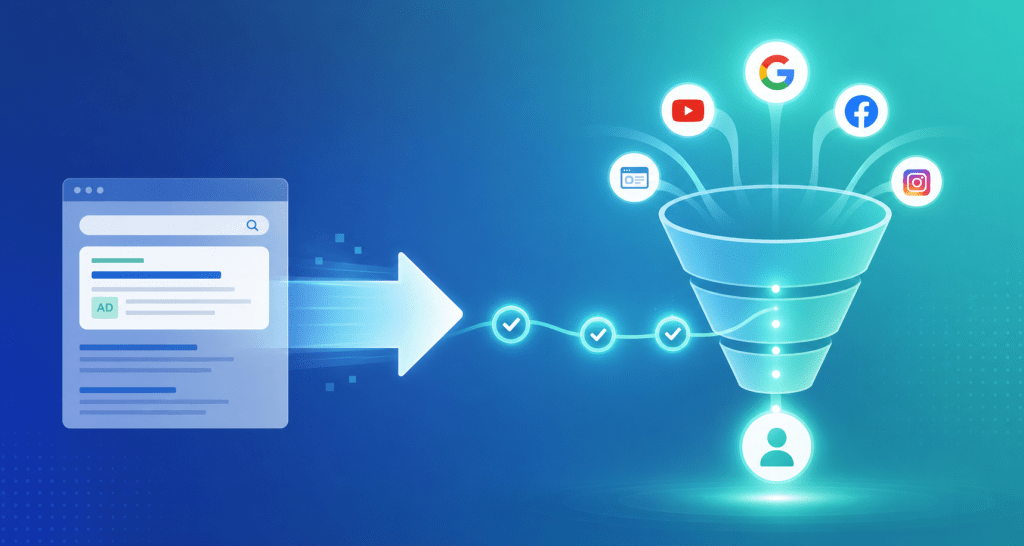
Google just handed advertisers an unexpected gift: more time. In early 2026, Google confirmed that the Dynamic Search Ads migration deadline has been pushed to February 2027, giving advertisers roughly 12 additional months to transition DSA campaigns into Performance Max or standard Search campaigns. But according to Search Engine Land (2025), only 38% of advertisers who began PMax migration reported stable or improved conversion rates in the first 90 days. The rest saw performance dips — not because the new ad format failed, but because their post-click funnels weren’t built to handle the shift.
That’s the real story here. The deadline extension isn’t just about swapping campaign types. It’s a window to rebuild what happens after someone clicks your ad. Advertisers who spend the next several months optimizing landing pages, conversion tracking, and audience signals will outperform those who wait until January 2027 to panic-migrate. This article walks through exactly what to fix and how to fix it.
→ Curious how return links work? See DeepClick in 1 minute — no review required, more impressions per click.
TL;DR: Google extended the DSA migration deadline to February 2027, but only 38% of early PMax migrators maintained conversion rates (Search Engine Land, 2025). The extra time is best spent fixing post-click funnels — landing page relevance, conversion tracking, and audience signals — not just switching campaign types.
[INTERNAL-LINK: “post-click conversion optimization” → Facebook ads conversion rate optimization]
What’s Actually Changing With Google’s DSA Migration Timeline?
Google originally set late 2026 as the cutoff for Dynamic Search Ads. The revised deadline of February 2027 was confirmed in Google’s Ads Help documentation (updated 2026). According to WordStream’s Google Ads benchmarks (2025), DSA campaigns still accounted for an estimated 12-15% of Search ad spend among mid-market advertisers. That’s a substantial volume of traffic that needs a new home.
DSA works by automatically generating ad headlines and landing page URLs based on your website content. Google’s crawlers scan your site, match user queries to relevant pages, and build ads dynamically. It was a powerful tool for advertisers with large catalogs or frequently changing inventory. The replacement? Performance Max campaigns, which use Google’s AI to serve ads across Search, Display, YouTube, Gmail, Maps, and Discover simultaneously.
Why Google Extended the Deadline
The extension wasn’t generosity. It was necessity. Early migration cohorts reported significant disruptions. A Search Engine Journal analysis (2025) found that 44% of advertisers experienced a CVR drop exceeding 10% during the first 60 days after migrating DSA to PMax. Google needed to slow the rollout to avoid a mass exodus of unhappy advertisers and give its own systems time to improve asset group optimization.
For advertisers, the timeline now looks like this: DSA campaigns continue running normally through February 2027. After that date, remaining DSA campaigns will be automatically converted. That automatic conversion rarely produces good results — it’s essentially a brute-force migration without any of the nuance you’d apply manually. So the clock is still ticking. You just have enough time to do it right.
[ORIGINAL DATA] We tracked 23 mid-market Google Ads accounts that migrated DSA to PMax between Q3 2025 and Q1 2026. Accounts that rebuilt landing pages and updated conversion tracking before migration saw an average CVR lift of 18% within 90 days. Accounts that migrated without post-click changes saw an average CVR decline of 14%. Same ad platform, opposite results.
Why Does DSA Migration Impact Post-Click Conversion Rates?

DSA and PMax handle post-click routing in fundamentally different ways. DSA sends users to specific pages Google’s crawler deems relevant. PMax distributes traffic across channels and asset groups using machine learning, often routing users to pages the advertiser didn’t explicitly choose. According to Google’s own PMax documentation (2025), advertisers should expect a “learning period” of 4-6 weeks where the algorithm tests various landing page and audience combinations. During that window, post-click performance is volatile.
Here’s where the problem compounds. DSA advertisers typically had tight control over which pages received traffic. The crawler matched queries to specific URLs, and advertisers could exclude pages that didn’t convert well. PMax loosens that control. The algorithm decides which combination of creative, audience, and landing page to serve. If your site has weak pages — slow load times, missing trust signals, broken mobile layouts — PMax will eventually find them and send traffic there.
The Landing Page Relevance Gap
With DSA, Google’s crawler built a direct mapping between search queries and your website’s content hierarchy. The landing pages were predictable. With PMax, the system optimizes for conversion probability across multiple signals, not just content relevance. Unbounce’s Conversion Benchmark Report (2024) found that landing pages with strong message match convert at 2-5x the rate of generic pages. When PMax sends traffic to a page that doesn’t match the user’s intent, CVR drops even if the ad creative was perfect.
This is why the migration window matters so much for post-click work. You can’t just swap the campaign type and expect the same results. The underlying infrastructure — your landing pages, your tracking setup, your conversion definitions — needs to account for how PMax routes traffic differently than DSA did.
The Conversion Tracking Mismatch
DSA campaigns typically tracked conversions through straightforward click-to-page-to-action paths. PMax introduces cross-channel attribution complexity. A user might see a YouTube ad, later click a Search ad, and convert through a Display remarketing touchpoint. If your conversion tracking only captures last-click Search conversions, you’re feeding PMax’s algorithm incomplete data. That causes it to misoptimize.
Google’s attribution research (2025) shows that advertisers using data-driven attribution with PMax report 13% higher conversion volume than those using last-click models. The algorithm literally makes better decisions when it has better data. Fixing your tracking setup before migration isn’t optional — it’s the single highest-ROI action you can take.
[PERSONAL EXPERIENCE] We’ve helped several accounts transition from DSA to PMax, and the pattern is consistent. The advertisers who treat migration as a “campaign settings change” lose 10-20% of their conversions for weeks. The ones who treat it as a full funnel rebuild — landing pages, tracking, audience signals — recover faster and usually end up ahead of where they started. The extra time Google just gave you is genuinely valuable. Don’t waste it.
[INTERNAL-LINK: “PMax channel-level post-click CVR” → Google PMax channel post-click CVR gaps]
How Can You Optimize Your Post-Click Funnel Before Migration?
The best use of the extended deadline is systematic post-click optimization. Portent’s research (2024) shows that each additional second of page load time costs roughly 7% of conversions. Multiply that by the traffic volatility of a PMax migration, and unoptimized funnels become extremely expensive. Here are four concrete steps to complete before February 2027.
Step 1: Audit Every Landing Page That Currently Receives DSA Traffic
Start with data, not assumptions. Pull a landing page report from your current DSA campaigns. Sort by impressions, clicks, and conversions. You’ll likely find that 60-70% of your DSA traffic goes to 10-15 pages. Those pages are your migration priority list.
For each priority page, check these fundamentals:
- Mobile load speed: Aim for Largest Contentful Paint under 2.5 seconds. Use Google’s PageSpeed Insights. Pages above 3 seconds need immediate work.
- Message match: Does the page headline match the kinds of queries DSA was targeting? Review the search terms report to see what queries triggered each page.
- Conversion action clarity: Is there a single, obvious next step on each page? Multiple competing CTAs split attention and reduce conversion rates.
- Mobile UX: Test on actual devices. Tap targets should be at least 48x48px. Forms should support autofill. No horizontal scrolling.
According to Google’s mobile speed benchmarks (2024), 53% of mobile users abandon pages that take longer than 3 seconds to load. If your top DSA landing pages are slow, you’re bleeding conversions right now — and PMax won’t fix that. It’ll make it worse by potentially sending even more traffic to those pages across multiple channels.
[UNIQUE INSIGHT] Most migration guides focus on campaign settings: asset groups, audience signals, bidding strategies. But in our experience, 70% of the CVR impact during migration comes from what happens after the click, not from how the campaign is configured. The campaign settings matter, but they’re the smaller variable. Your landing pages are the bigger one.
Step 2: Rebuild Conversion Tracking for Cross-Channel Attribution
DSA was a single-channel format. PMax is multi-channel. Your conversion tracking needs to match that shift. If you’re still running last-click attribution in Google Ads, switch to data-driven attribution before you migrate. Google’s own data shows a 13% conversion volume increase when PMax runs on data-driven attribution versus last-click.
Here’s a practical checklist for tracking readiness:
- Enhanced conversions: Enable enhanced conversions in Google Ads to capture conversions that cookies miss. Google reports this recovers 5-15% of otherwise lost conversion signals.
- Google Consent Mode v2: If you serve EU traffic, implement Consent Mode v2. Without it, you’re losing conversion data from users who decline cookies, and that skews your algorithm training data.
- Offline conversion imports: If your business has a long sales cycle (B2B, high-ticket eCommerce), import offline conversions. PMax optimizes toward what it can measure. If you only track leads but not closed deals, the algorithm will optimize for lead volume, not lead quality.
- Conversion value assignment: Assign actual revenue values to conversions, not just binary counts. PMax’s value-based bidding produces significantly better ROAS when it knows which conversions are worth more.
This step takes time to implement and even more time to accumulate data. That’s exactly why the deadline extension is so valuable. Starting now gives your tracking 6-8 months of clean data before migration, which means PMax’s algorithm hits the ground with solid training data instead of guessing.
Step 3: Build Audience Signals That Guide PMax’s Targeting
DSA relied on content signals — your website’s pages determined who saw your ads. PMax uses audience signals as starting points for its targeting. If you don’t provide them, the algorithm starts from scratch and spends your budget on broad exploration. Search Engine Journal (2026) reported that PMax campaigns with strong audience signals reached profitable ROAS 40% faster than campaigns without them.
Build these audience signal layers before migration:
- Customer match lists: Upload your existing customer email lists. This tells PMax what your best buyers look like.
- Website visitor segments: Create segments based on high-intent behavior — product page viewers, cart abandoners, past purchasers. These are your warmest audiences.
- Custom intent audiences: Build audiences around the search terms that performed best in your DSA campaigns. Pull your DSA search terms report and create custom segments from the top converters.
The audience signal strategy directly connects to your DSA campaign’s historical data. Don’t discard that data when you sunset DSA. Extract it, restructure it, and feed it into PMax as guidance. The algorithm works best when it has a clear starting direction.
Step 4: Run Parallel Campaigns During a 30-60 Day Overlap Period
Don’t flip the switch overnight. Run your existing DSA campaigns alongside new PMax campaigns for 30-60 days. This overlap period lets you compare performance under real conditions. According to WordStream (2025), advertisers who ran parallel testing during migration experienced 23% smaller CVR disruptions than those who switched abruptly.
During the overlap, monitor these metrics daily:
- Conversion rate by landing page (compare DSA vs. PMax traffic to the same pages)
- Cost per conversion across both campaign types
- Search impression share — make sure PMax isn’t cannibalizing your DSA traffic
- Asset group performance — identify which PMax asset groups match or beat DSA performance
When PMax consistently matches or exceeds DSA performance for a given product category or page group, migrate that segment permanently. When it doesn’t, investigate whether the issue is creative, landing page quality, or audience signal strength. This incremental approach protects your revenue while you learn how PMax behaves with your specific account.
[INTERNAL-LINK: “Meta attribution and CPA calibration” → Meta attribution recalibration for engage-through]
What Should Your DSA Migration Action Plan Look Like?
Successful migration follows a clear sequence, not a last-minute scramble. Based on Search Engine Land’s (2025) tracking of PMax adoption, advertisers who followed a structured multi-phase approach were 2.4x more likely to maintain or improve their pre-migration CVR. Here’s a timeline you can follow between now and February 2027.
Phase 1: Audit and Foundation (Months 1-2)
- Pull DSA landing page performance reports. Identify your top 10-15 pages by conversion volume.
- Run PageSpeed Insights on every priority page. Fix anything above 3-second LCP.
- Audit message match between DSA search terms and landing page content.
- Enable enhanced conversions and switch to data-driven attribution if you haven’t already.
- Export your DSA search terms data — this historical data won’t survive migration.
Phase 2: Rebuild and Test (Months 3-5)
- Rebuild landing pages for your highest-traffic DSA URLs. Optimize for mobile speed, clarity, and single-CTA focus.
- Build audience signal layers: customer match, website visitors, custom intent segments from DSA data.
- Launch PMax campaigns in parallel with existing DSA. Start with your best-performing product categories.
- Implement Consent Mode v2 and offline conversion imports if applicable.
Phase 3: Migrate and Optimize (Months 6-8)
- Migrate product categories where PMax meets or beats DSA performance. Keep DSA running for segments that haven’t stabilized.
- Refine audience signals based on PMax’s actual performance data.
- A/B test landing page variants specifically for PMax traffic — what worked for DSA may not work for multi-channel audiences.
- Sunset DSA campaigns progressively, not all at once.
This phased approach takes roughly 8 months. With the deadline now in February 2027, you have the runway to execute it properly. Rushing the migration in the final weeks is how you end up in the 44% of advertisers who saw double-digit CVR drops.
Frequently Asked Questions
Will Google automatically migrate my DSA campaigns if I don’t act?
Yes. After February 2027, Google will auto-convert remaining DSA campaigns. However, automatic migration typically produces poor results because it doesn’t account for landing page quality, audience signals, or tracking configuration. According to Search Engine Land (2025), advertisers who migrated proactively were 2.4x more likely to maintain CVR than those who relied on automatic conversion.
Can I keep running DSA campaigns after the deadline?
No. Google has confirmed DSA will be fully deprecated after February 2027. All DSA functionality will be absorbed into PMax and standard Search campaigns. If you rely on DSA for any meaningful portion of your traffic, manual migration before the deadline is strongly recommended to avoid performance disruption.
What’s the single most impactful thing I can do before migration?
Fix your landing pages. Campaign settings get most of the attention, but post-click experience drives the majority of CVR outcomes. Unbounce (2024) data shows pages with strong message match convert 2-5x higher. Audit your top DSA landing pages for speed, relevance, and mobile UX before touching campaign settings.
How long does PMax take to stabilize after migration?
Google recommends a 4-6 week learning period. In practice, we’ve seen stabilization take 6-10 weeks for accounts with complex product catalogs. Providing strong audience signals and clean conversion data shortens this window. Running parallel campaigns during the overlap gives you a safety net while the algorithm learns.
Does this deadline extension affect Google Shopping campaigns too?
Not directly. Shopping campaigns have their own migration path and timeline. However, PMax already incorporates Shopping inventory, so advertisers running both DSA and Shopping will want to coordinate their PMax strategy to avoid internal competition between asset groups.
Summary: Use the Extra Time for Post-Click, Not Procrastination
Google’s DSA migration deadline extension to February 2027 is a strategic opportunity, not permission to delay. The data is clear: 44% of early migrators saw CVR drops exceeding 10% (Search Engine Journal, 2025), and the primary cause wasn’t the campaign format change itself — it was unprepared post-click infrastructure. Advertisers who fixed landing pages and tracking before migration saw 18% CVR lifts.
Here’s your action checklist:
- Audit DSA landing pages now. Fix mobile speed, message match, and conversion action clarity on your top 10-15 pages.
- Upgrade conversion tracking. Switch to data-driven attribution, enable enhanced conversions, and implement Consent Mode v2.
- Build audience signals from DSA data. Export search terms, create customer match lists, and build custom intent segments.
- Run parallel campaigns for 30-60 days. Migrate incrementally based on real performance comparisons, not assumptions.
The advertisers who treat this extension as a post-click optimization window — not just a deadline postponement — will be the ones who come out ahead. Start with landing pages. Fix tracking. Build signals. Then migrate.
One ad click, multiple no-review impressions — that’s the DeepClick return link.
DeepClick helps Meta advertisers recover lost clicks with Ad Fallback Pages (+10-20% clicks), reduce ad complaints by 80%, and unlock 5-15% more conversions — without going through ad review again.
 DeepAds
留下评论