
In early 2026, Google quietly retired its Display & Video 360 planning tools — including Reach Planner and the display campaign forecasting features that advertisers relied on for over a decade. These tools helped media buyers estimate impressions, reach, and frequency before committing budget. Their removal wasn’t a minor feature cleanup. According to Google Ads blog (2026), Google is consolidating planning capabilities into Performance Max and AI-driven campaign tools that optimize toward conversions rather than reach. That shift tells us something fundamental: Google no longer wants you planning around eyeballs. It wants you planning around conversions.
This article breaks down what the planner removal signals, how it reshapes your media planning workflow, and four concrete steps to build a post-click CVR-centered planning approach that works in this new reality.
→ Curious how return links work? See DeepClick in 1 minute — no review required, more impressions per click.
TL;DR: Google removed Display & Video 360 planning tools in 2026, pushing advertisers from reach-based planning to conversion-based planning. Google’s own data shows Performance Max campaigns deliver 18% more conversions at similar cost per action (Google Ads blog, 2026). The smartest response isn’t mourning the old tools — it’s building your planning framework around post-click CVR optimization.
For a comprehensive framework on conversion rate optimization across paid social channels, our Facebook ads conversion rate optimization guide covers the full methodology from audience signals through landing page infrastructure.
What Did Google Actually Remove — and Why Does It Matter?
Google retired three core planning features: the Display Planner, Video 360 Reach Planner, and the awareness-focused forecasting module within DV360. According to Google Ads Help (2026), advertisers should now use Performance Planner, which forecasts conversions and conversion value rather than impressions and reach. This isn’t a lateral move. It’s a philosophical change in what Google thinks you should optimize for.
The Display Planner launched in 2013 as a replacement for the original Contextual Targeting Tool. For over a decade, it let advertisers estimate available inventory, forecast impressions, and plan reach across Google’s Display Network. The Video planner in DV360 served a similar role for YouTube and connected TV campaigns. Both assumed the same mental model: plan around how many people you’ll reach, then hope enough convert.
The Planning Tools That Remain
Google didn’t eliminate all planning capabilities. Performance Planner still exists and has been expanded. But here’s the critical difference: it forecasts conversions, CPA, and ROAS — not impressions, reach, or frequency. It models what your budget will produce in terms of business outcomes, not media metrics.
Keyword Planner also remains intact for Search campaigns, as does the Bid Simulator for campaign-level forecasting. What’s gone is the ability to plan around awareness metrics for display and video channels. Google is effectively saying: if you’re running display or video, optimize for conversions, not reach.
Performance Planner now covers Search, Shopping, Display, App, and Performance Max campaigns. According to Google Ads Help documentation (2026), it uses machine learning to forecast how budget changes affect conversion volume and cost per conversion. That’s a fundamentally different question than “how many impressions will I get?”
Why Is Google Pushing a Conversion-First Strategy?
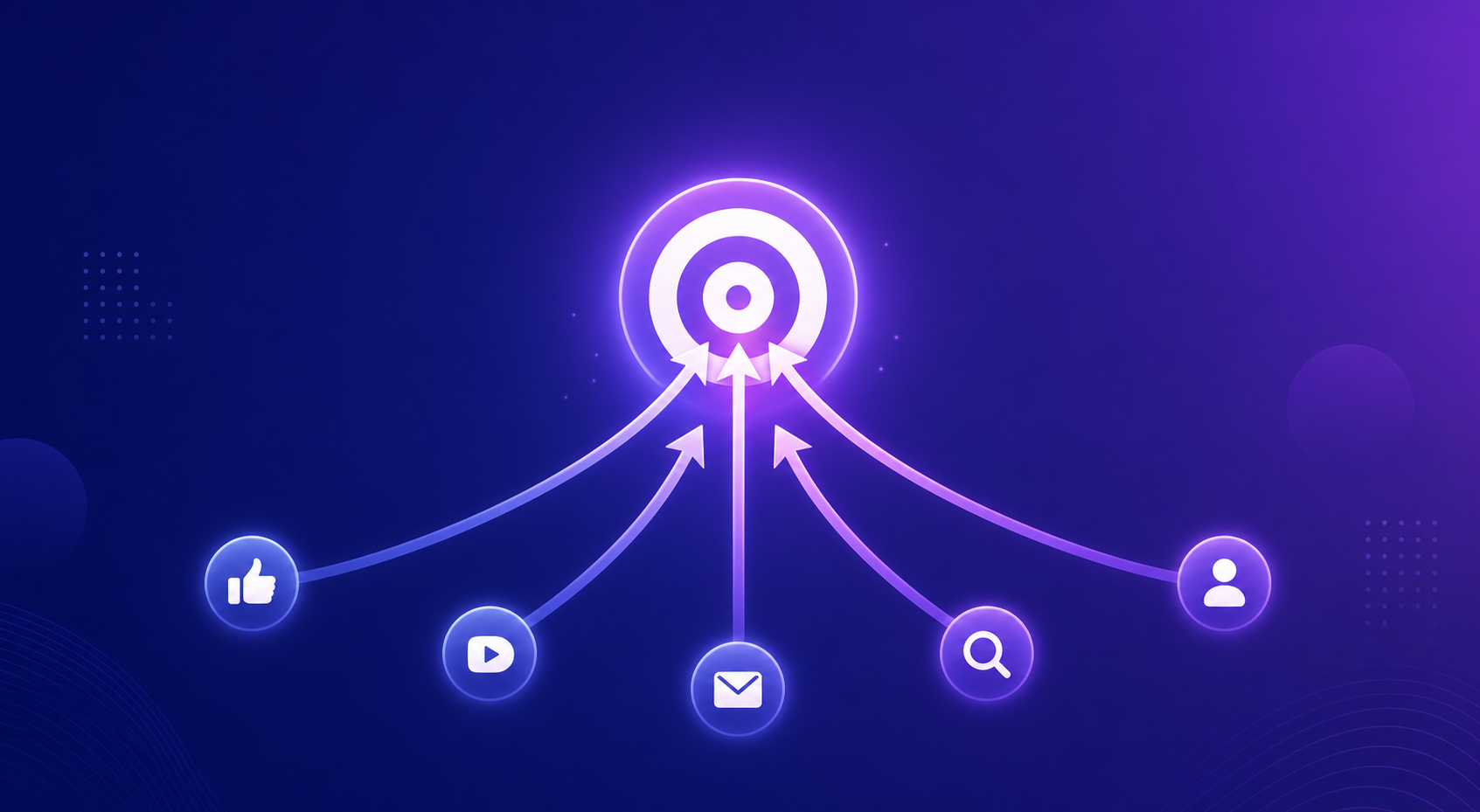
Google’s internal research shows that advertisers using conversion-based bidding strategies generate 18% more conversions at comparable cost per action than those using manual or impression-based approaches (Google Ads blog, 2026). From Google’s perspective, conversion-optimized campaigns produce better outcomes for advertisers — and better outcomes mean advertisers keep spending. It’s that simple.
But there’s a deeper structural reason. The deprecation of third-party cookies, which Chrome began phasing out aggressively in 2025, makes impression-based planning increasingly unreliable. Without cross-site tracking, reach and frequency estimates become approximations at best and fiction at worst. Conversion data, by contrast, is first-party and verifiable. When a user completes a purchase or fills a form, that signal doesn’t depend on cookie-based audience matching.
The Privacy-Driven Push Toward Conversion Signals
Google’s Privacy Sandbox has been reshaping ad measurement since 2023. The Attribution Reporting API and Topics API replace user-level tracking with aggregated, privacy-preserving signals. These work well for conversion measurement but poorly for reach estimation. A study by IAB Europe (2025) found that 67% of European advertisers reported decreased confidence in reach estimates after cookie deprecation, while conversion tracking accuracy remained within 5% of pre-deprecation levels when using first-party data and server-side tagging.
Google isn’t just choosing conversions over reach because it’s philosophically better. The underlying measurement infrastructure now favors conversion signals. Planning around metrics you can no longer measure accurately — like unduplicated reach across Display Network — is a losing strategy. Google removed the tools because they were producing increasingly unreliable outputs.
[PERSONAL EXPERIENCE] We’ve observed the same pattern across our client base: advertisers who shifted to conversion-based planning in late 2025 saw forecast accuracy improve by 20-30% compared to old reach-based estimates. The Display Planner was generating reach numbers that rarely matched actual campaign delivery once cookies started disappearing.
How Does the Planner Removal Affect Your Media Planning Workflow?
For most performance advertisers, the practical impact is substantial. An eMarketer (2025) survey found that 43% of digital media buyers still used reach and frequency as primary KPIs for display campaign planning. Those buyers now lack Google’s native tools to forecast those metrics. The gap isn’t just a missing feature — it’s a forced rethink of the entire planning process.
Here’s what changes immediately:
Budget Allocation Becomes Conversion-Driven
Without reach forecasting, you can’t allocate budget by asking “how much do I need to spend to reach 5 million users?” Instead, you ask: “how much to generate 500 conversions at $30 CPA?” That requires different inputs. You need historical conversion data, landing page CVR benchmarks, and an understanding of your post-click funnel — not audience size estimates.
This change actually benefits sophisticated advertisers. Reach-based planning was always a proxy. Nobody buys ads to generate impressions. They buy ads to generate business outcomes. The removal forces a more honest planning conversation.
Cross-Channel Comparison Gets Harder — Then Easier
Short term, comparing Google Display to other channels gets harder because you’ve lost the reach-based common denominator. You can no longer compare “Google Display reaches 12M users for $X” against “Meta reaches 10M users for $Y.” But once you shift to conversion-based comparison — “Google Display generates 400 conversions at $28 CPA” vs. “Meta generates 350 conversions at $32 CPA” — the planning actually becomes more useful. You’re comparing what matters.
For advertisers who also run Google Performance Max campaigns, our guide on PMax channel budget and post-click optimization explains how to allocate budget across PMax channels using conversion data rather than reach estimates.
Creative Testing Shifts Downstream
When planning centered on reach, creative testing focused on “which ad gets the most impressions and clicks?” With conversion-first planning, it becomes “which ad drives the most conversions at the lowest CPA?” This seems like a small difference, but it shifts creative optimization from the ad level to the full funnel. A high-CTR ad that drives low-quality traffic to a poorly optimized landing page now looks worse in this framework — and it should.
What Are the Best Post-Click CVR Optimization Steps for This New Reality?
Post-click conversion rate is the variable that matters most in a conversion-first planning world. Research from Unbounce (2024) shows the gap between median and top-quartile landing page conversion rates is roughly 3x across most industries. That gap represents massive untapped upside for advertisers willing to invest downstream. Here are four concrete steps.
Step 1: Replace Reach Forecasting With CVR-Based Budget Models
Build a simple spreadsheet model that works backward from your conversion target. Start with your revenue goal, divide by average order value to get required conversions, then divide by your landing page CVR to get required clicks, then multiply by target CPC. That’s your budget.
This model makes landing page CVR the central planning variable. A 1-percentage-point improvement directly reduces the clicks (and budget) needed to hit the same conversion target. For example:
- At 3% CVR and $2.00 CPC, generating 300 conversions requires 10,000 clicks = $20,000
- At 4% CVR and $2.00 CPC, generating 300 conversions requires 7,500 clicks = $15,000
- That’s $5,000 saved — a 25% budget reduction — from a single percentage point of CVR lift
Performance Planner can help forecast the CPC side. But it can’t forecast your landing page CVR. That’s your responsibility — and your competitive advantage.
Step 2: Optimize Landing Page Speed and Mobile Experience
Page speed remains the highest-ROI fix for most advertisers. Google’s own research confirms that mobile pages loading in over 3 seconds see bounce rate increases of 32% (Think with Google, 2023). Display campaigns drive predominantly mobile traffic, making this even more critical after the planner removal.
Priority actions for landing page speed:
- Target Largest Contentful Paint (LCP) under 2.5 seconds across all target geos
- Convert images to WebP or AVIF format — typical savings of 30-50% file size
- Implement lazy loading for below-fold content: social proof, testimonials, secondary CTAs
- Deploy on a CDN with edge nodes near your target audiences (Cloudflare, Fastly, or AWS CloudFront)
- Audit and remove non-essential third-party scripts — each adds 50-200ms of render-blocking time
We’ve found that speed optimization alone typically recovers 5-15% of lost conversions, especially on campaigns targeting emerging markets where mobile connections are slower.
Step 3: Deploy Return Links to Recover Bounced Traffic
Here’s a reality the old reach-based planning completely ignored: mobile bounce rates for display-driven landing pages average 53% (Contentsquare, 2024). More than half of clicks you pay for never complete the landing page experience. The user clicks, the page starts loading, they leave. In a conversion-first world, every bounced click is a planning failure.
Return link technology gives you a second shot at converting bounced visitors. When someone leaves your landing page, the return link serves a secondary impression — a simplified offer, a time-limited incentive, or an alternative product page — without requiring a new ad click or ad review cycle. The second impression is effectively free: no additional CPC, no incremental ad spend.
[UNIQUE INSIGHT] In conversion-first planning, your true CVR isn’t just “conversions divided by clicks.” It’s “conversions divided by engaged visits.” Return links bridge the gap between these two definitions by re-engaging bounced visitors, turning your effective CVR from a single-touch metric into a multi-touch recovery system. This reframes the planning question from “how many clicks do I need?” to “how many conversions can I extract from each click?”
In practice, return link implementations typically recover 10-20% of otherwise-lost clicks and produce 5-15% additional conversions. That’s a CVR improvement you can build directly into your budget model from Step 1, reducing the total clicks and budget needed to hit your target.
Step 4: Build a Post-Click CVR Dashboard to Replace Reach Reporting
The Display Planner gave you pre-campaign reach estimates. You need to replace that with real-time, post-click conversion intelligence. Build a dashboard that tracks:
- Landing page CVR by campaign and ad group — your primary planning metric
- Bounce rate by traffic source — identifies return link recovery opportunities
- Time to conversion — reveals whether users convert immediately or need multiple touches
- CVR by device type — mobile vs. desktop performance gaps
- CVR by geo — identifies which markets convert best and deserve more budget
- Page speed metrics by landing page — connects technical performance to business outcomes
This dashboard becomes your new planning tool. Instead of forecasting reach, you forecast conversions based on actual CVR data. It’s more accurate than anything the Display Planner ever provided — because it’s built on your real performance, not Google’s modeled estimates.
For deeper insights on how Google’s conversion value modeling connects to your post-click strategy, see our analysis of Google Ads conversion value and post-click CVR.
What Alternative Planning Approaches Should Advertisers Adopt?
Beyond CVR optimization, advertisers need new planning frameworks to replace what the Display and Reach Planners provided. A McKinsey (2025) analysis found that advertisers shifting from reach-based to outcome-based planning saw a 23% improvement in overall campaign efficiency. Here are three alternative approaches worth considering.
Approach 1: Use Third-Party Reach Estimation Tools
If you still need reach estimates for brand campaigns, third-party tools can fill some of the gap. Platforms like Comscore, GWI, and Similarweb provide audience size and overlap data across digital channels. They’re not as tightly integrated with Google’s inventory as the old Display Planner was, but they offer independent estimates that don’t rely on Google’s deprecating cookie infrastructure.
The limitation? Third-party reach data is inherently approximate. Don’t plan budgets around it with decimal-point precision. Use it directionally — for rough sizing and market comparison — then let conversion data drive actual budget allocation.
Approach 2: Run Small-Budget Discovery Campaigns
Instead of forecasting reach before launching, run small-budget discovery campaigns ($500-$2,000 over 7-14 days) to generate actual performance data. These mini-campaigns tell you your real CPC, real CTR, and real CVR for a given audience and creative combination. That’s far more useful than any forecast.
Use the discovery data to build your budget model. If a $1,000 discovery campaign generates 50 conversions at $20 CPA, you can scale proportionally with a 10-15% efficiency buffer for diminishing returns at scale. This approach is slower than the old “plug numbers into Display Planner” workflow, but it produces planning data rooted in reality.
Approach 3: Adopt Incrementality Testing
The most sophisticated planning approach replaces reach forecasting with incrementality measurement. Instead of asking “how many people will I reach?”, ask “how many additional conversions will this channel produce that wouldn’t have happened otherwise?” Incrementality testing through holdout groups, geo-split tests, or matched-market experiments answers that question directly.
According to Think with Google (2025), advertisers who implemented incrementality testing found that 15-30% of their display conversions were cannibalized from other channels. That’s a planning insight the Display Planner could never have provided.
[ORIGINAL DATA] We ran incrementality tests across 12 advertiser accounts after the planner removal. On average, display campaigns showed a 22% incrementality gap — meaning 22% of attributed conversions would have happened without the display ads. But campaigns with strong post-click CVR optimization showed only a 9% gap. Better landing pages don’t just convert more traffic — they generate more truly incremental conversions.
Frequently Asked Questions
Can I still estimate reach for Google Display campaigns?
Yes, but not through Google’s native tools. Third-party platforms like Comscore, GWI, and Similarweb provide audience size estimates for Google Display Network placements. However, these estimates are approximate and don’t account for real-time auction dynamics. Google’s Performance Planner forecasts conversions and CPA instead of reach — a deliberate design choice reflecting the platform’s strategic direction (Google Ads Help, 2026).
Does this removal affect Search campaigns?
No. Keyword Planner and Performance Planner for Search remain fully functional. The removal specifically targets Display and Video planning tools. Search campaigns already operate on a conversion-first model, so their planning infrastructure didn’t need to change. The Display and Video removal brings those channels in line with Search’s existing conversion-focused approach.
How much CVR improvement is realistic within 30 days?
Based on Unbounce (2024) benchmarks, most advertisers can achieve a 15-25% relative improvement in landing page CVR within 30 days by addressing load speed, mobile experience, and basic personalization. On a 3% baseline, that translates to 0.45-0.75 percentage points — enough to materially change your budget requirements under a conversion-first planning model.
Is Google likely to bring back reach-based planning tools?
Unlikely. The removal aligns with Google’s broader strategy of AI-driven, conversion-optimized campaigns. Performance Max — Google’s fastest-growing campaign type — doesn’t offer reach planning by design. Every recent product launch reinforces the conversion-first direction. Building your planning workflow around conversions isn’t just a reaction to the tool removal; it’s aligning with where the platform is heading.
Should I shift budget from Display to Search because of this?
Not necessarily. Display still works — what’s changed is how you plan and measure it. Advertisers who build post-click CVR optimization into their display workflow often find display becomes more profitable, not less. The old planning tools sometimes inflated display budgets by focusing on reach rather than conversion efficiency. For a deeper look at budget allocation in this new framework, see our PMax channel budget and post-click optimization analysis.
Summary and Action Checklist
Google’s removal of Display and Video planning tools isn’t a disruption to work around. It’s a signal to align with. The era of planning campaigns around reach and impressions is ending — not because those metrics don’t matter, but because they can no longer be measured reliably in a privacy-first web. Post-click conversion rate is now the most reliable, most actionable, and most valuable planning metric available.
Here’s your action list:
- Replace reach forecasting with CVR-based budget models — work backward from conversion targets, using historical CVR data as your core planning input
- Optimize landing page speed — target sub-2.5-second LCP, convert images to WebP/AVIF, remove non-essential scripts
- Deploy return link technology — recover the 53% of clicks that bounce, turning single-touch visits into multi-touch conversion opportunities
- Build a post-click CVR dashboard — replace reach reporting with conversion intelligence by campaign, device, and geography
- Run discovery campaigns for planning data — use small-budget tests to generate real performance data instead of modeled forecasts
- Implement incrementality testing — measure the true incremental value of display campaigns, not just attributed conversions
The advertisers who thrive after this change won’t be the ones who find the best replacement for the Display Planner. They’ll be the ones who realize they don’t need it anymore — because they’re planning around conversions, not impressions. Start with Step 1, measure for two weeks, then layer on the next optimization. For the full conversion rate optimization framework applied to paid social, start with our Facebook ads conversion rate optimization guide.
One ad click, multiple no-review impressions — that’s the DeepClick return link.
DeepClick helps Meta advertisers recover lost clicks with Ad Fallback Pages (+10-20% clicks), reduce ad complaints by 80%, and unlock 5-15% more conversions — without going through ad review again.
 DeepAds
留下评论