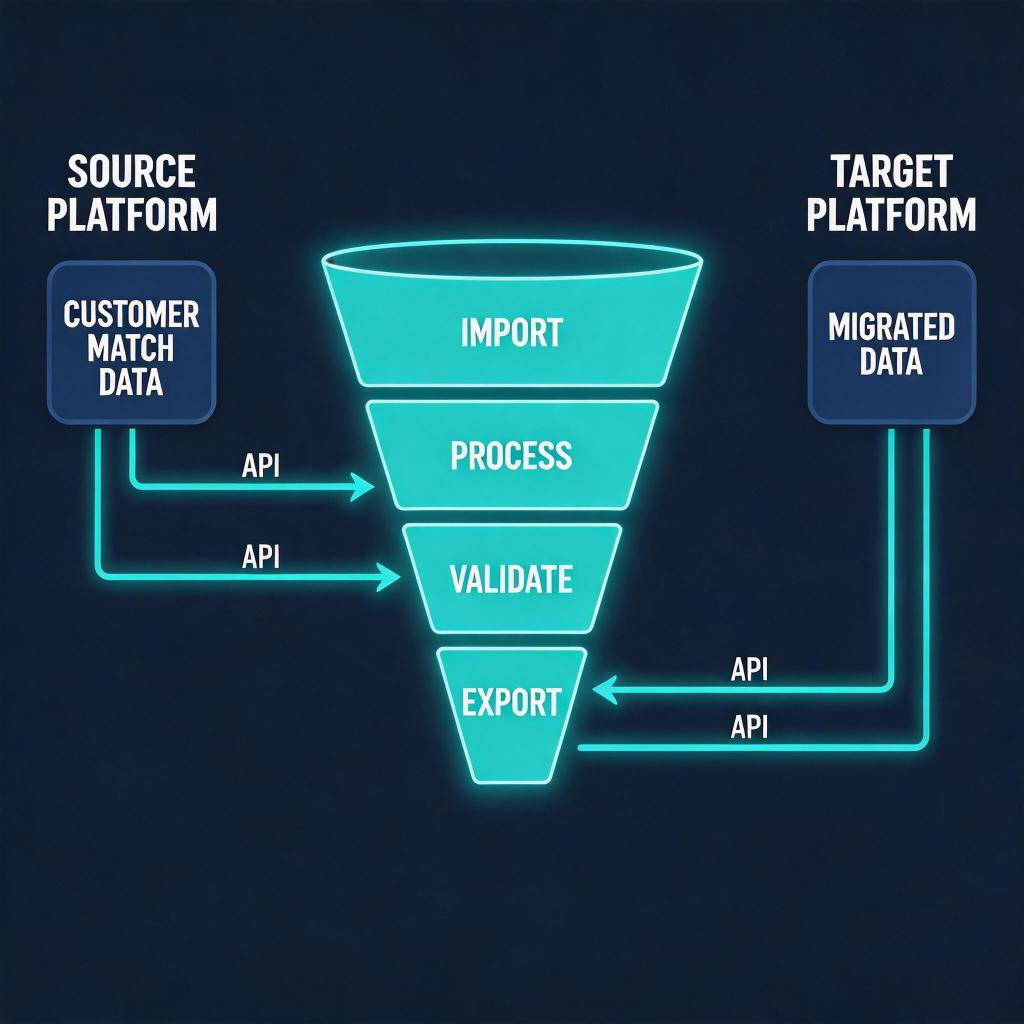
Google Customer Match Is Migrating — and Your Post-Click Funnel Is at Risk
Google is retiring the legacy Customer Match upload API and moving all audience data ingestion to the new Data Manager API. For performance advertisers running remarketing campaigns across Google Search, Display, YouTube, and Gmail, this change is not just a backend migration — it is a direct threat to audience match rates, campaign reach, and ultimately, post-click conversion rates (CVR).
If your remarketing lists shrink during the transition, every click you buy becomes more expensive to convert. The window to act is now: advertisers who migrate correctly and reinforce their post-click funnel will protect their CVR; those who delay will see ROAS erode quietly.
→ Curious how return links work? See DeepClick in 1 minute — no review required, more impressions per click.
What Is Changing: Legacy API → Data Manager API
Google’s Customer Match feature has long allowed advertisers to upload first-party data — emails, phone numbers, mailing addresses — to create custom audience segments for bidding and targeting. The legacy CustomerMatchUserListService and OfflineUserDataJobService endpoints handled this for years.
Starting in 2026, Google is deprecating those legacy endpoints and requiring all Customer Match uploads to flow through the Google Ads Data Manager API. Key differences include:
- New authentication scope: The Data Manager API requires updated OAuth2 scopes and service account permissions that the old API did not.
- Hashing requirements: All PII (email, phone) must now be SHA-256 hashed client-side before upload. Any data pipeline passing raw PII will fail validation.
- Job structure change: The new API uses a different job schema —
userDataJobobjects replace the oldOfflineUserDataJobmodel. Scripts that worked before will break silently or throw 400 errors. - Consent signal required: For EEA traffic, the API now requires explicit
consentfields per user record. Missing consent signals cause those records to be dropped entirely.
The practical result: if your Customer Match pipeline is not updated before the deprecation deadline, your remarketing lists stop refreshing. Stale lists mean lower match rates, smaller audiences, and weaker bidding signals — a compounding problem that hits post-click CVR hardest.
Why a Broken Customer Match Pipeline Destroys Post-Click CVR
Most advertisers think of Customer Match purely as a targeting and bidding tool. That framing misses the deeper post-click impact.
The match rate multiplier effect: Google’s internal data indicates that Customer Match audiences with match rates above 50% generate click-through rates 20–30% higher than cold audiences, and those visitors convert at a meaningfully higher rate because they have prior brand exposure. When match rates drop — say, from 55% to 30% because stale emails have accumulated — the quality of clicks you buy degrades. You pay for reach, but you get strangers.
Bid signal degradation: Smart Bidding relies on audience signals to predict conversion probability. A shrinking, stale Customer Match list sends weaker signals to the model, causing the algorithm to bid more conservatively or on lower-intent queries. Less relevant clicks = worse post-click behavior = lower CVR.
Landing page mismatch amplification: High-intent returning visitors tolerate less friction. When they land on a generic page instead of a personalized one, bounce rates spike. Industry benchmarks show personalized landing pages convert returning visitors at 2–3× the rate of generic pages. If your Customer Match list is degraded, you lose the ability to serve those personalized experiences efficiently.
A 2024 study by a mid-market e-commerce advertiser (shared at Google Marketing Live) found that a 20-point drop in Customer Match match rate correlated with a 14% increase in cost-per-conversion within 45 days. The loss was entirely invisible in standard campaign reporting — it only showed up in audience composition analysis.
For more on how to systematically protect conversion rates across Google channels, see our PMax channel CVR tracking guide, which covers attribution and measurement during algorithm transitions.
4 Steps to Migrate Customer Match and Protect Post-Click CVR
Step 1: Audit Your Current Customer Match Pipeline
Before writing a single line of new code, map every data flow that feeds your Customer Match lists.
- In Google Ads, navigate to Tools → Audience Manager → Customer Match and review every list. Note the last upload date and current match rate for each list.
- Identify the upstream source for each list: CRM export, CDP, email platform, or manual CSV.
- Check whether your uploads use the old
OfflineUserDataJobServiceAPI or a third-party tool (e.g., Zapier, Make, Segment, Salesforce Marketing Cloud). Each tool will need its own migration path. - Flag any lists with match rates below 40% — these are already degraded and signal either stale data or hashing/format errors that predate the migration.
This audit typically takes 2–4 hours but prevents weeks of debugging later. Document the results in a spreadsheet with columns: List Name, Source System, Upload Method, Last Upload Date, Current Match Rate, Migration Status.
Step 2: Migrate to the Data Manager API (Technical Checklist)
The migration itself has four technical requirements that must all be satisfied simultaneously:
- Update OAuth2 credentials. The Data Manager API requires the
https://www.googleapis.com/auth/adsscope plushttps://www.googleapis.com/auth/adsdatahubif you use cross-account features. Rotate your service account keys and update them in every system that calls the API. - Implement client-side SHA-256 hashing. Normalize email addresses first (lowercase, strip whitespace), then hash. For phone numbers, use E.164 format before hashing. Google will reject any job where hashing is inconsistent — even a trailing space in an email address produces a different hash and a failed match.
- Rewrite job creation logic. Replace
OfflineUserDataJobobjects with the newUserDataJobschema. Key field differences: the new API usestype: CUSTOMER_MATCH_USER_LISTand requires thecustomerMatchUserListMetadatablock with explicit consent fields. - Add consent signals for EEA users. The
consentobject must includeadUserDataandadPersonalizationfields set toGRANTEDfor users who have provided consent, or those records will be silently dropped. If you do not have consent signals in your CRM, implement a consent collection flow before migrating EEA records.
Test the migration in a sandbox environment first. Upload a small batch (100–500 records) and verify that the match rate in Audience Manager is consistent with historical rates within 5 percentage points. If match rates drop sharply, diagnose hashing or normalization issues before scaling.
Step 3: Repair and Enrich Your First-Party Data
The migration is also the right moment to address data quality issues that have accumulated over time. A clean migration with stale data still underperforms.
- De-duplicate your contact list. Multiple records for the same person (different email formats, aliases) inflate upload counts without improving match rates. Use a deduplication tool or a simple normalization script before every upload.
- Add phone numbers where you only have emails. Google’s match algorithm can match on email OR phone independently. A contact list that includes both identifiers achieves significantly higher match rates than one relying solely on email. If your CRM has phone numbers stored separately, join them before upload.
- Re-engage lapsed contacts to refresh email validity. Contacts who have not engaged in 18+ months often have changed email addresses. A re-engagement campaign (even a simple “are you still interested?” email) can flag invalid addresses before they dilute your match rate.
- Segment your lists by recency. Create separate Customer Match lists for contacts who engaged in the last 90 days, 90–365 days, and 365+ days. Use these as layered bid modifiers rather than a single blended list. Recent engagers will have higher match rates and higher post-click intent — bid up on them specifically.
Step 4: Harden Your Post-Click Funnel for the Transition Period
Even a perfect migration involves a disruption window — typically 2–6 weeks where list sizes fluctuate and match rates are unstable. During this window, the cost per click on your remarketing campaigns rises while conversion intent is temporarily harder to capture. You need to make every click work harder.
- Audit and optimize your landing pages for returning visitors. Use URL parameters or UTM tags to identify traffic coming from Customer Match campaigns and serve dynamic content (e.g., “Welcome back — here’s where you left off”). Even simple personalization — a headline that references a previously viewed product category — can lift CVR by 15–25%.
- Reduce friction at the conversion event. Pre-fill forms for logged-in users. Simplify checkout to the minimum required fields. Each additional form field costs approximately 4–8% of conversions. During a turbulent audience transition, you cannot afford friction you did not notice before.
- Implement exit-intent recovery. If a returning visitor from a Customer Match campaign is about to bounce, an exit-intent overlay with a targeted offer can recover 5–12% of otherwise lost sessions. This is particularly effective for e-commerce and lead-gen advertisers.
- Maximize click value with return link technology. During the transition period, every click you buy is more expensive on a CPM/CPC basis. Tools like DeepClick’s return link allow a single ad click to generate multiple impressions on your destination page without going through ad review again — effectively reducing your effective CPC while the audience transition stabilizes. This is directly relevant to protecting CVR during the 6–12 weeks of migration disruption.
For advertisers running Performance Max alongside Customer Match remarketing, these post-click hardening steps are even more critical. See our guide on fixing underperforming PMax channels to understand how audience signal disruption surfaces in PMax performance and what to do about it.
Measuring Success: What to Track During and After Migration
Do not rely on top-level campaign metrics alone during the migration window. The signals you need are more granular:
- Customer Match list match rate — check weekly in Audience Manager. Target: return to within 5 points of pre-migration baseline within 30 days.
- Audience list size — watch for drops greater than 15% after migration. Larger drops indicate data loss in the pipeline.
- Impression share on remarketing campaigns — a shrinking match rate directly reduces eligible impressions. Track this separately from prospecting campaigns.
- Post-click CVR by audience segment — break out CVR for Customer Match traffic versus other remarketing versus prospecting. If Customer Match CVR drops more than cold traffic CVR, the issue is audience quality, not landing page quality.
- Cost-per-conversion trend — a rising CPC/CPL on remarketing campaigns with stable bids is the clearest signal of audience degradation.
Set up a weekly review cadence for these metrics during the migration window. Most advertisers who catch a migration problem early (within the first 2 weeks) can correct it without significant revenue impact. Those who catch it at the 6-week mark are typically looking at a full quarter of degraded performance.
For a broader framework on cross-channel CVR measurement and optimization — including how to isolate post-click performance from media-buying variables — see our Facebook Ads conversion rate optimization guide, which covers many of the same post-click principles that apply to Google remarketing.
Summary and Action Checklist
The Google Customer Match to Data Manager API migration is a forced technical change with real business consequences. Advertisers who treat it as a pure engineering task — migrate the API, move on — will miss the post-click CVR implications. Those who use it as a forcing function to clean their first-party data, harden their landing pages, and instrument their conversion funnel will emerge from the transition in a stronger competitive position.
Pre-migration (do now):
- Audit all Customer Match lists: match rates, upload dates, source systems
- Identify all API touchpoints (direct integrations, third-party tools)
- Assess EEA consent signal coverage in your CRM
During migration:
- Update OAuth2 scopes and rotate service account credentials
- Implement and verify client-side SHA-256 hashing with proper normalization
- Rewrite job schemas to Data Manager API format
- Add consent fields for EEA records
- Test with a small batch before full production migration
Post-migration (ongoing):
- Monitor match rates weekly for 8 weeks
- Segment lists by recency; apply tiered bid modifiers
- Optimize landing pages for returning visitors
- Reduce conversion form friction
- Track post-click CVR by audience segment, not just campaign level
The transition window is also the right time to explore supplementary tools that help you extract more value from each paid click — because when your audience pool is temporarily smaller, click efficiency is everything.
One ad click, multiple no-review impressions — that’s the DeepClick return link.
DeepClick helps Meta advertisers recover lost clicks with Ad Fallback Pages (+10-20% clicks), reduce ad complaints by 80%, and unlock 5-15% more conversions — without going through ad review again.
 DeepAds
留下评论